

Secret Santa Simplified

GiftGnome
Magic. The Secret Santa draw you pass round the room

The Secret Santa app for office parties, families and big groups. Draw names on one phone, pass it round, and let each person unwrap who they are buying for. No paper, no accounts.

Download on the App Store

No accounts. Photos stay on the phone.

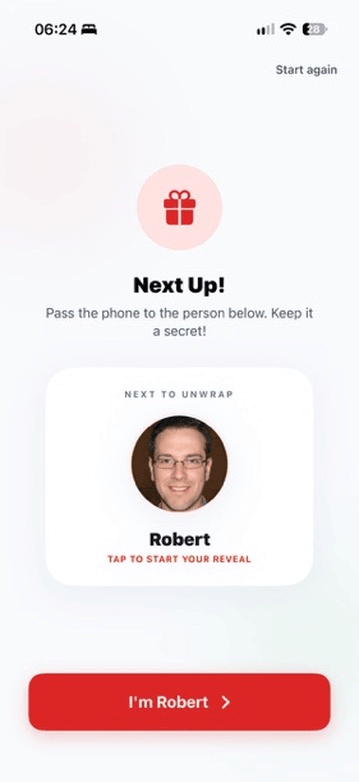
GiftGnome set-up screen with four people added, each marked Here or Remote. GiftGnome reveal screen showing who you are shopping for, with their photo. Next Up screen asking the group to pass the phone to the next person.

How Your Secret Santa Draw Works

From adding names to the big reveal, GiftGnome makes every step of your Secret Santa feel festive.

1

Set Up Your Team

Add everyone in your office, family or group of friends, with a photo or just an initial. Mark each person as here in the room or remote. Keep your groups saved for next year.

Hybrid Team Ready
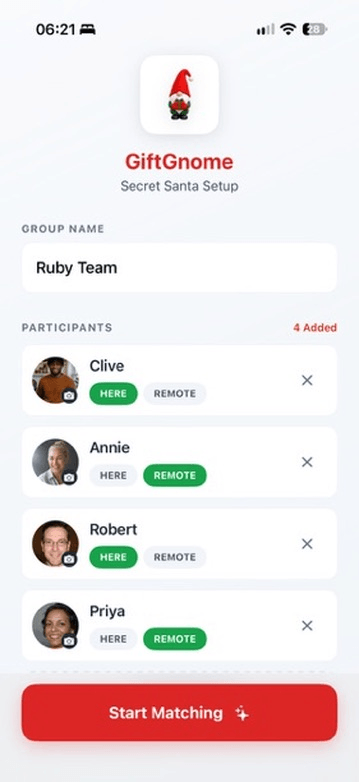
Set-up screen listing four people, each with Here and Remote buttons.
2

Pass & Verify

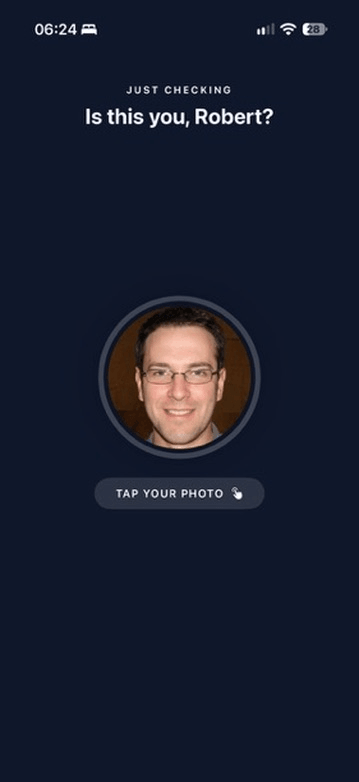
For those in the room, just pass the phone. Each person taps their own photo or initial first, so nobody opens someone else's box by accident.

Tap Your Photo
Next Up screen showing who the phone should be passed to. GiftGnome screen asking Is this you? with a prompt to tap your photo.
3

Unwrap the Magic

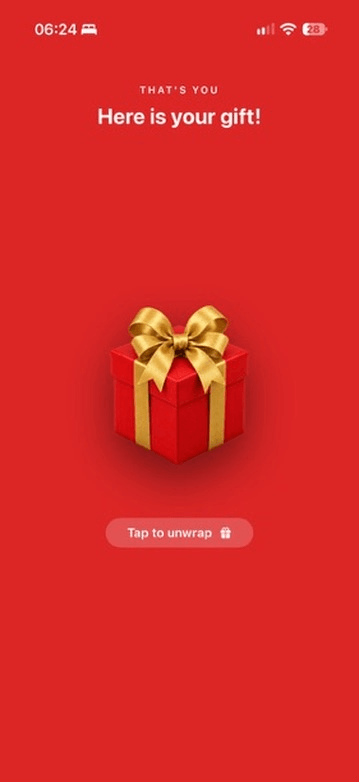
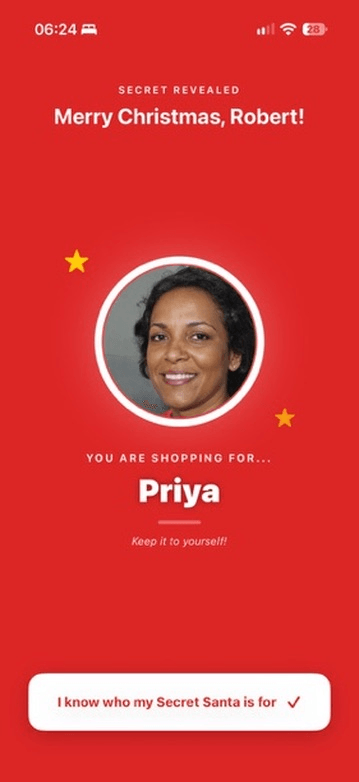
The best part! Tap the gift box to unwrap who you are buying for, with confetti and their photo or initial.

Festive Flourish
GiftGnome screen with a gift box ready to unwrap. Reveal screen showing who you are shopping for, with their photo and two gold stars.
4

Match & Send Links

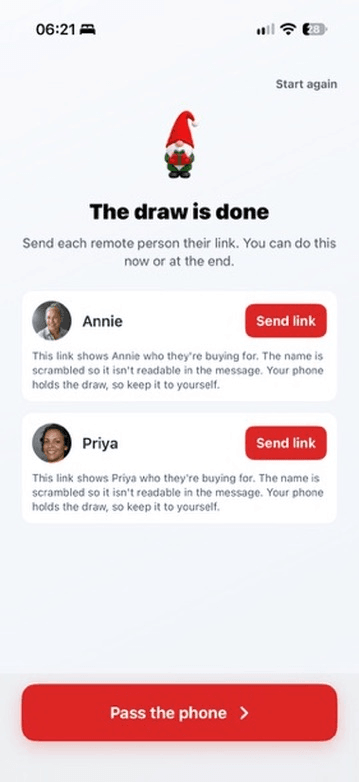
Someone working from home or away for Christmas? Send them a link of their own. It opens in their phone's browser with no app to install, and shows them who they are buying for. The name is scrambled, so it isn't readable in the message.

A Link Each
The draw is done screen with a Send link button for each remote person.

In the Gnome's Sack

Everything your draw needs, and nothing to sign up for.

Photo or Just an Initial

Snap a photo or pick one from your library. Camera-shy? A coloured circle with their initial does the job.

Several Groups Saved

Family, work, the friends who always do it on the wrong day. Keep several groups on your phone and come back to them.

A Link for Anyone Not in the Room

Send a link and they find out who they're buying for in a browser, shown with an initial in a coloured circle.

No Accounts

No sign-up, no passwords, no email addresses to collect. Open the app and start adding gnomes.

Keep the Surprise.
Tap Your Photo First.

Before the box appears, each person taps their own photo or initial to confirm it is them. Then it is just you, the box and whoever you drew.

  • Tap your photo to start your turn
  • A gift to unwrap before the name appears
  • Names and photos stay on the phone

Your photo, your turn

No names or results are kept on a server, and a link holds only that one person's result.

Made for Office Secret Santa, Family Christmas and Big Groups

Secret Santa at work with a big team? Add everyone and draw in one go, or make a group for each department and keep them all saved. Call it Secret Santa, Kris Kringle or a holiday gift exchange: it works the same for colleagues, coworkers, family and friends.

Planning a Big Secret Santa?

Everything you need for the office Christmas party, from setting a clear gift limit to funny and practical presents.

Read the Secret Santa guide